
Pocket Soccer1.16 - Get APK
You'll be able to download in few seconds.
Publisher Description
"Whether you're a soccer fan or not you should definitely check this game out" DroidAndroidGames.com
"Pocket Soccer takes the beautiful game, adds a dash of air hockey, and turns football (or ‘soccer’ if we must) into one of the most addictive games we’ve seen on Android." Life of Android
"It reminds me of marbles and air hockey combined, and it's got some polish that really makes it shine"
"I'm not a soccer fan but I love this game. Warning: very addictive!"
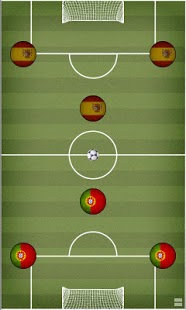
This is a reinterpretation of a classic board game called button football tuned for fast-paced game-play and more fun. Play against the computer or against your friends. Choose between more than 70 countries to play with (we add more countries based on request), unlock special soccer fields, balls and other assets by playing in various game modes.
If you experience problems, please write an e-mail to me instead of rating it with one star.
Android permissions:
- WAKE_LOCK: to prevent the phone from going to sleep while playing
- READ_PHONE_STATE: required by Scoreloop to associate the phone with your Scoreloop account
- INTERNET: required by Scoreloop and AdMob
- ACCESS_NETWORK_STATE: required by AdMob to check whether there is network connectivity
- ACCESS_COARSE_LOCATION: required by AdMob for targeted ads
About Pocket Soccer
The company that develops Pocket Soccer is RasterGrid Entertainment. The latest version released by its developer is 1.16.
To install Pocket Soccer on your Android device, just click the green Continue To App button above to start the installation process. The app is listed on our website since 2012-09-20 and was downloaded 0 times. We have already checked if the download link is safe, however for your own protection we recommend that you scan the downloaded app with your antivirus. Your antivirus may detect the Pocket Soccer as malware as malware if the download link to com.rastergrid.game.pocketsoccer is broken.
How to install Pocket Soccer on your Android device:
- Click on the Continue To App button on our website. This will redirect you to Google Play.
- Once the Pocket Soccer is shown in the Google Play listing of your Android device, you can start its download and installation. Tap on the Install button located below the search bar and to the right of the app icon.
- A pop-up window with the permissions required by Pocket Soccer will be shown. Click on Accept to continue the process.
- Pocket Soccer will be downloaded onto your device, displaying a progress. Once the download completes, the installation will start and you'll get a notification after the installation is finished.
Program Details
System requirements
Download information
Pricing
Version History
version 1.16
posted on 2012-09-20
- Fixed bugs that those users experienced who didn't enable Scoreloop support,- Updated Scoreloop to the latest version (requires the user to enable it at first startup),- Fixed some Scoreloop related issues,- Fixed other bugs reported by users,- Changed the built-in leaderboard's behavior to show the 24 hour leaderboard by default
version 1.4
posted on 2011-04-27
Several fixes and updates
Disclaimer
External Download
We do not host Pocket Soccer on our servers. We did not scan it for viruses, adware, spyware or other type of malware. This app is hosted by Galad and passed their terms and conditions to be listed there. We recommend caution when installing it.
The APK Download link for Pocket Soccer is provided to you by apps112.com without any warranties, representations or guarantees of any kind, so access it at your own risk.
If you have questions regarding this particular app contact the publisher directly. For questions about the functionalities of apps112.com contact us.
